



















Any idea. Every screen.
Build a radio app in an afternoon.
mHub is an open platform that turns folders of simple files and ordinary websites into apps for phones, TVs and desktops. You do not need to be a programmer: if you can describe what you want, an AI can build it, and mHub gives it a place to run.
 ARD Mediathek
 Where To Watch
 The Movie Database
 NASA Videos
 ARTE
ARTE funk
funk KiKA
KiKA ARD Audiothek
 DW
DW SVT Play
 NRK TV
 RÚV
RÚV France.tv
 TVP
TVP Internet Archive
 PeerTube
 Odysee
 TVmaze
 AniList
 IPTV-ORG
 Free-TV
 SomaFM
 Simkl
Simkl TED
TED 3sat
3sat ORF ON
 DR TV
DR TV RTVE
RTVE Pluto TV
One platform, three parts.
mHub is not one app. It is three parts that fit together, and every one of them is open. Two are foundations: a content format and a browser API. The third is the apps, and each of them stands on one foundation or both.
The apps
What you actually use. Vuma turns addons into one browsable screen, and other apps each take one idea to every screen in the house. All of them are web apps: nothing to install. See the apps
The content: addons
An addon is a source of content: films, radio stations, podcasts, courses. Under the hood it is a folder of small text files on any web host, described by the Addon Protocol v2. An AI can write one for you. See the protocol
The powers: window.mhub
Open a normal website inside an mHub app and it can do things a browser never allows: read data from anywhere, survive a dead domain, live on your TV. One namespace, one script tag: the mHub Browser API. See the API
Our favourites. All of them live.
Vuma stands on both foundations; the apps beside it show how far one foundation alone carries. Five apps, five different ideas, and every one of them is a place to start from.
Vuma
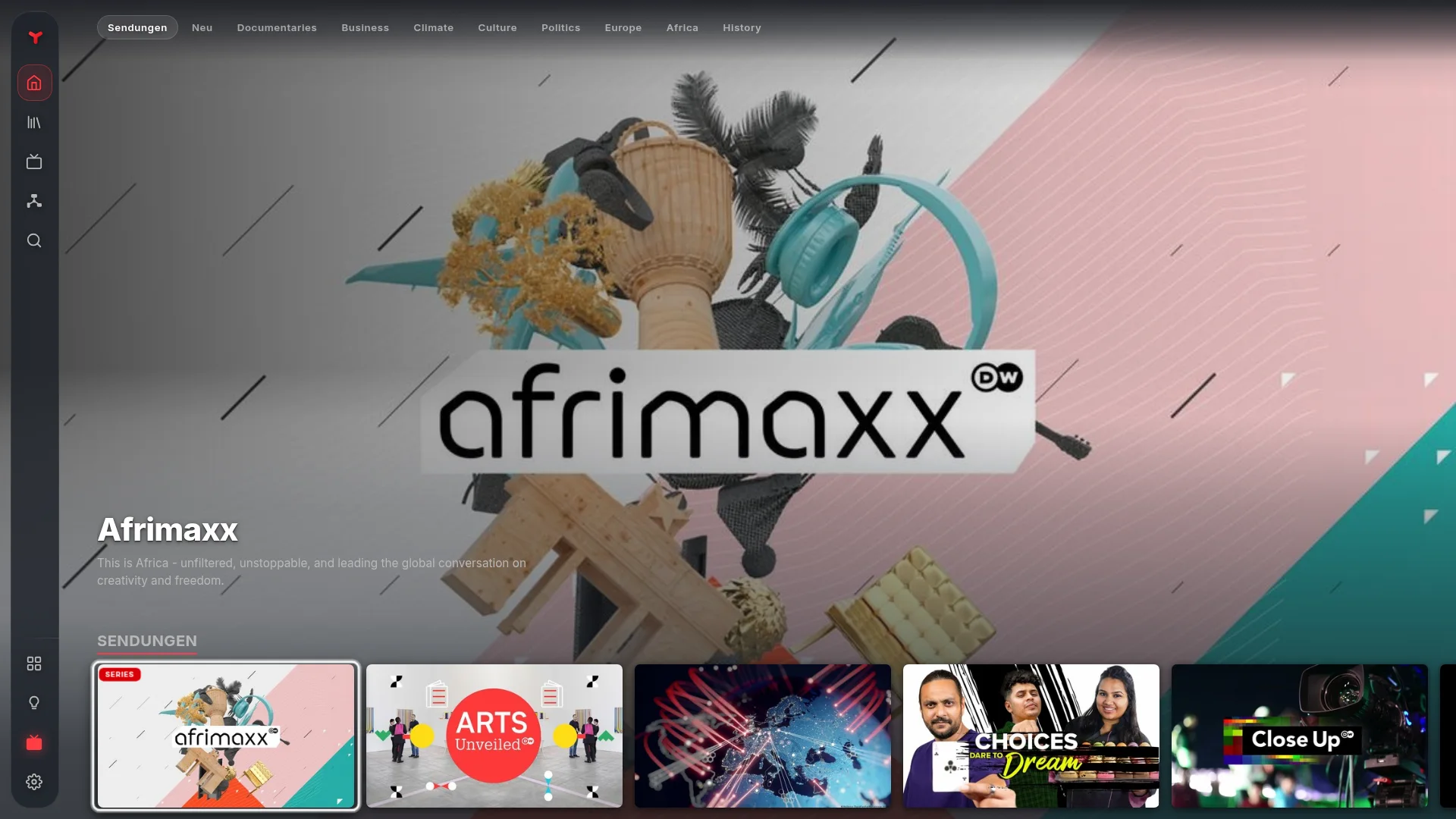
Give Vuma addons and it turns them into one browsable screen: every catalog your addons expose, search across all of them, a library, a player that resumes where you left off. It is one web app that runs on phones, TVs and desktops alike, and handles touch, remote control and pointer itself.
It stands on both foundations: addons bring the content, and inside an mHub browser the Browser API adds the powers a plain page never has. You can even mount it on a page of your own, with your addons and your name on it: one HTML file.
Waves
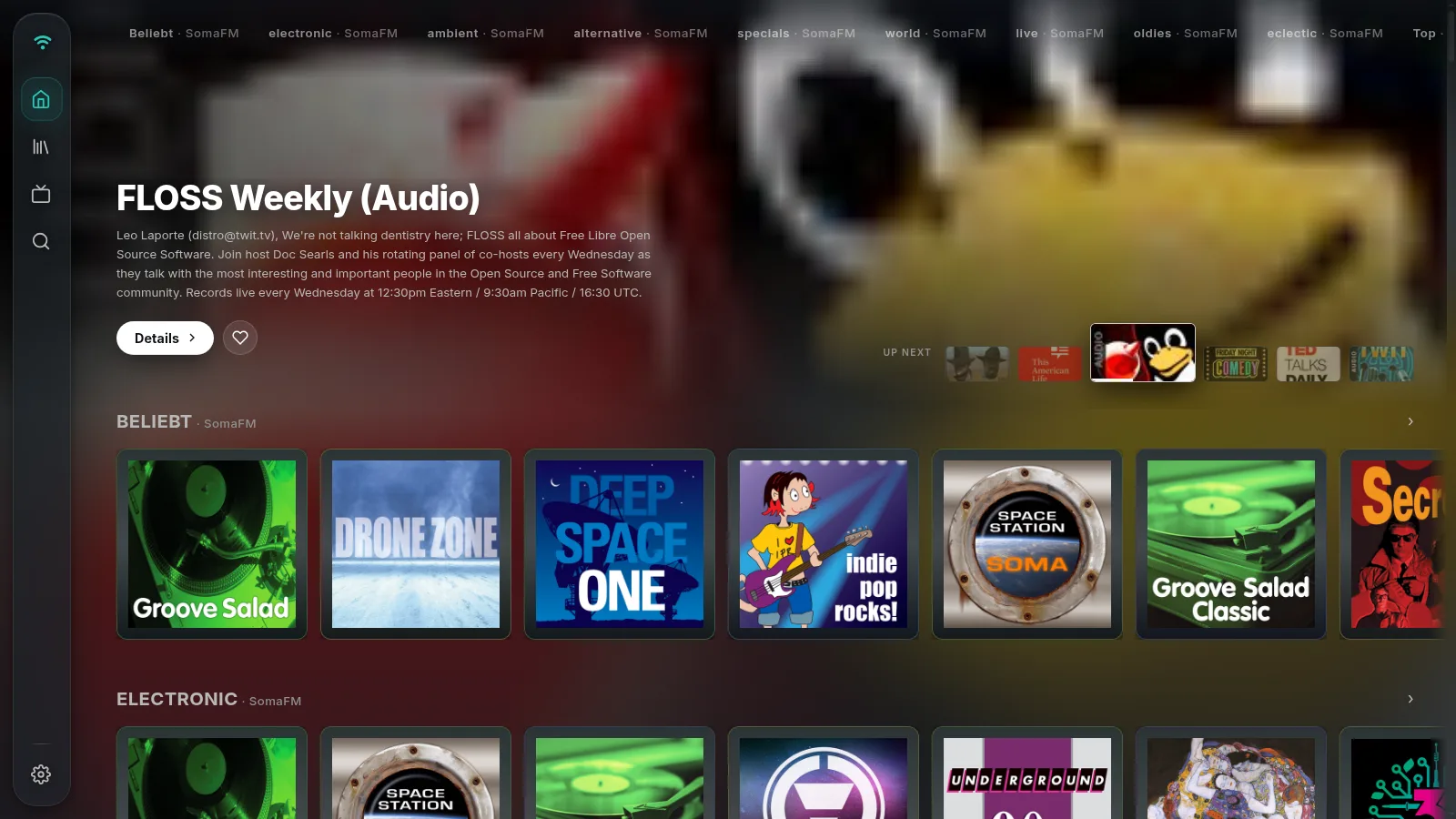
Radio stations, podcasts and free audiobooks as one app. Waves is one HTML file over the same Vuma build: five audio addons, a teal accent, and addonManager: "fixed", so the sources are set and the user only switches them on and off. View source on it: the page is the whole tutorial.
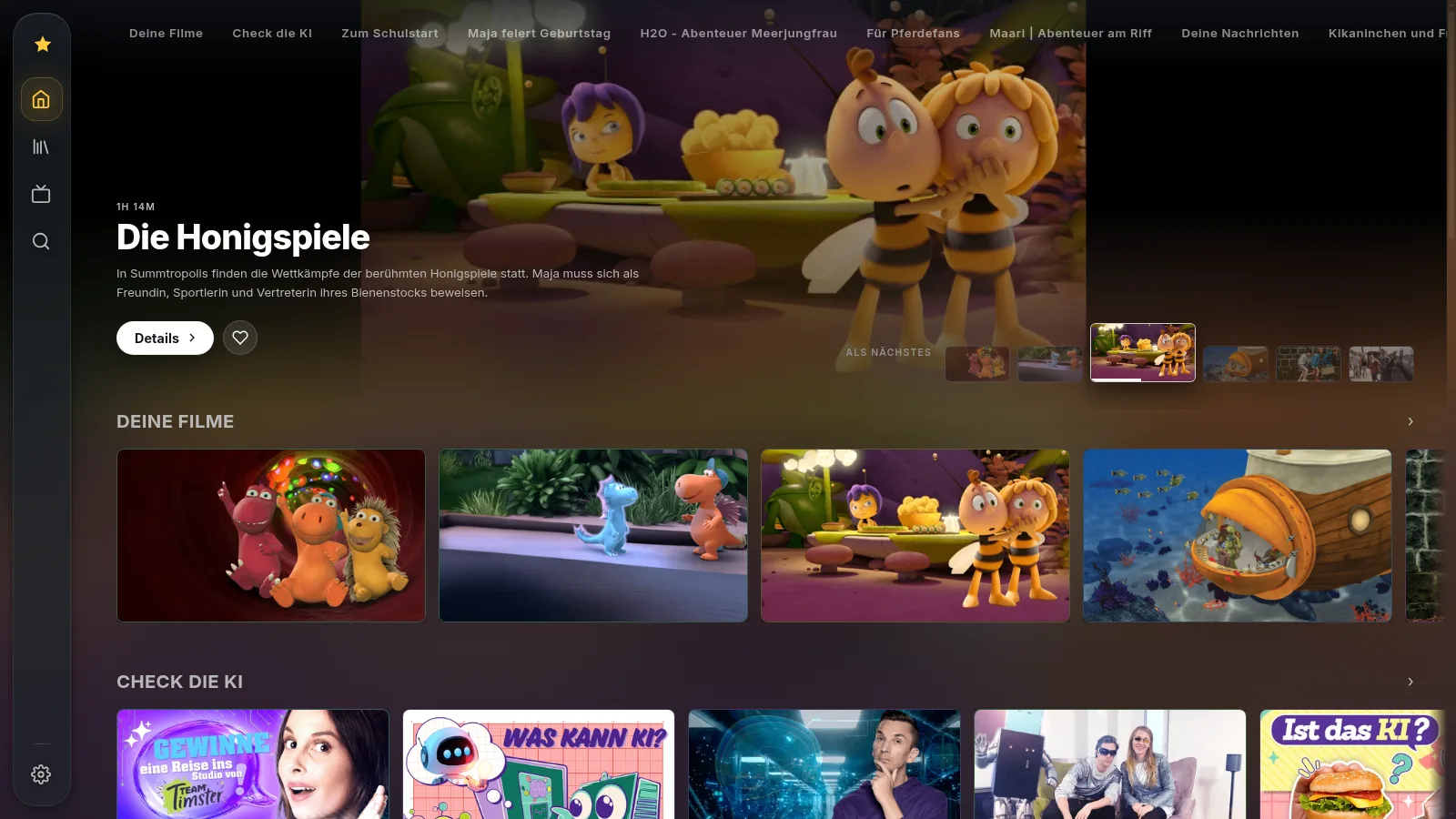
Junior
Kids TV. One addon, bright colours, German from the first screen (locale: "de"), and addonManager: "hidden": nothing to misconfigure from the couch. Also one HTML file over the Vuma build.
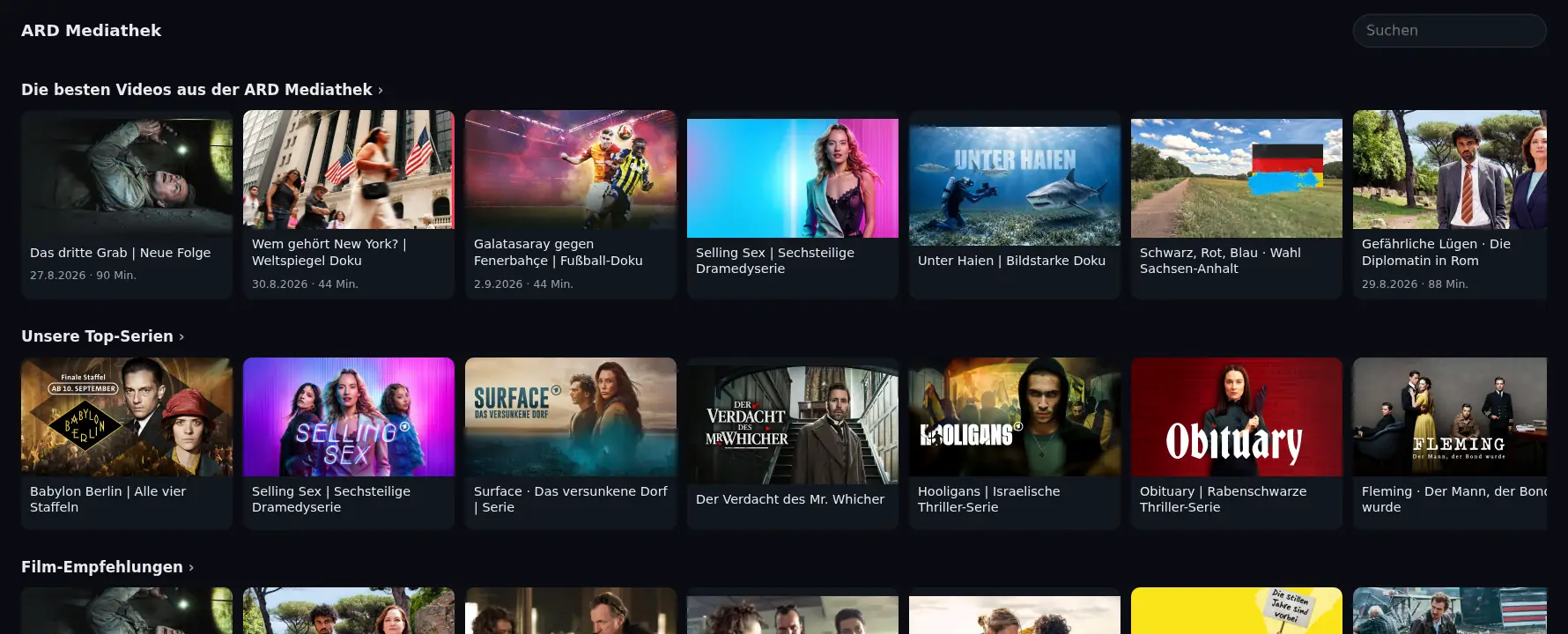
Mediathek
The addon is the data; what someone builds on top of it is the app. Mediathek is one HTML file straight on the ard-mediathek addon, no Vuma underneath: rows, search, series with their episodes, subtitles, and a player that remembers where you stopped. The addon does the fetching, the page does the looks.
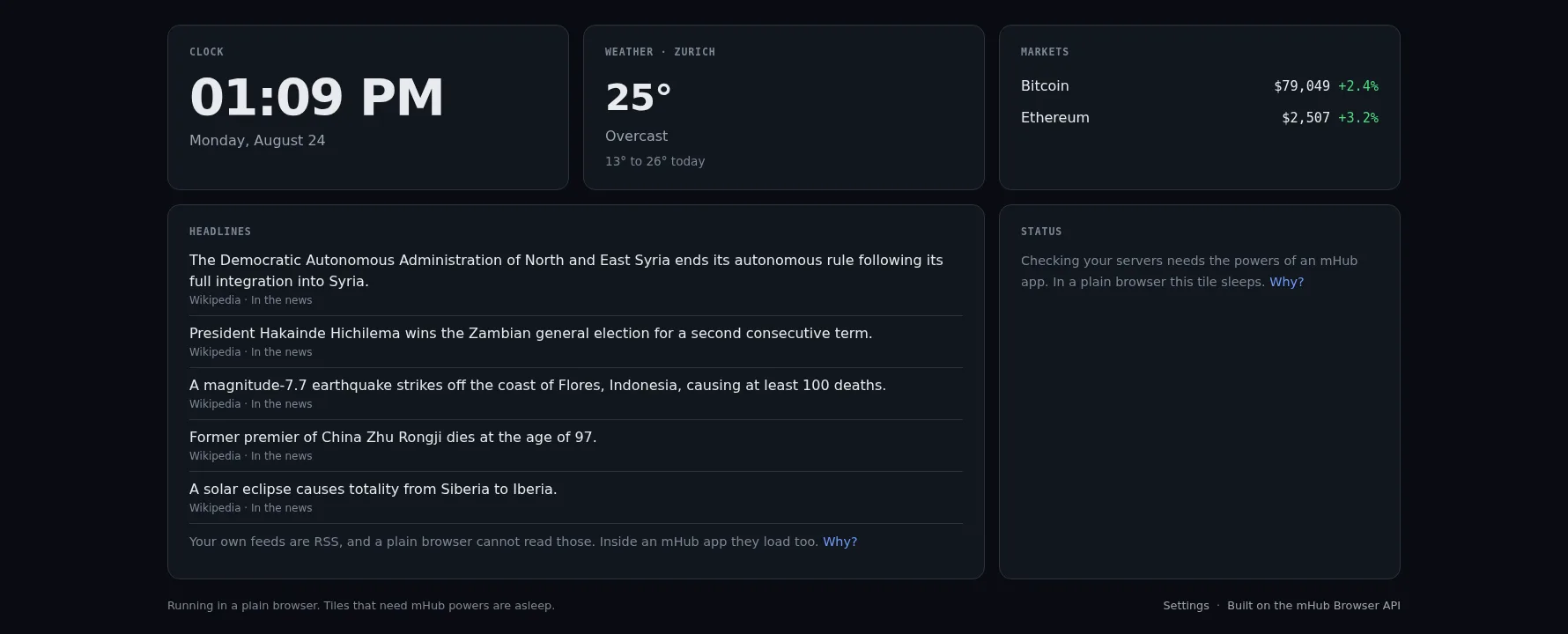
Glance
The other foundation on its own: Glance uses no addons at all. One HTML file on the Browser API, pulling live weather, headlines, market prices and the status of your own servers onto one calm screen. In a plain browser it degrades gracefully; inside an mHub app every tile wakes up.
One idea, one folder, every screen.
Anything with a list can be an addon, and anything a browser refuses to do can be a site inside mHub. These are ideas we would like to see made, and every one of them is a prompt away: pick one, and it lands in the AI prompt further down.
Watch
Your regional TV station
Every broadcast the station puts online, as rows by show, with the evening news first.
A film festival
The programme with trailers and synopses, browsable by day, venue and section.
Silent cinema
Public domain films from the Internet Archive, sorted by decade and director.
Your sports club
Match highlights, full games and the season schedule as a live catalog.
City live cams
The public webcams of one city, the harbour, the square, the mountain, as live channels.
Council meetings
Recordings and live streams of your town council, by session and agenda item.
Listen
Your radio stations
The ten stations you actually listen to, with logos, in the order you like.
One podcast network
Every show of one network from its RSS feeds, episodes newest first.
Audiobooks by author
LibriVox recordings of one author, chapters as episodes, resumable.
Bedtime stories
Short audio stories for children, with a calm cover per story and no ads.
A congregation
The services and talks of your church, mosque or community, live and recorded.
A station's own app
Waves, with one station's streams and podcasts and its own colours. One HTML file.
Learn
Lectures of one university
The public lecture recordings, by faculty and semester, on the TV instead of a laptop.
A language course
Lessons as episodes, in order, with the audio drills beside the videos.
Museum tours
The video and audio guides of a museum, room by room.
Cooking school
Recipe videos by course and cuisine, with the ingredients in the description.
An archive browser
A friendly face for Archive.org or Project Gutenberg: browse, search and read like an app.
Talks from one conference
Every recorded talk of a conference series, by year and track.
Home and family
A family screen
Weather, headlines and the price of things you care about, as one calm screen. We built this one: it is Glance.
Home control panel
Lights, NAS, printer, router. Browsers refuse local requests like that; the mHub app makes them for you.
Camera wall
Your own cameras, from the local network, as a grid on the TV.
The family photo frame
Photos from your own server as an image catalog: the TV becomes the frame.
Cartoons from one channel
The free episodes of one children's channel, by show, safe to hand over.
Tools
A news reader
Pull any feed straight from its source. Normal browsers block that; inside mHub it just works, and it reads well from the couch.
A price watcher
Check shops for prices and availability, keep a watchlist, see the answer on any screen.
Server status board
Your own machines, their disks and services, as tiles that go red before anyone calls.
A YouTube channel, resolved
A resolver addon: paste a channel, get its videos as a catalog that plays.
Subtitles for a language
A subtitle addon for one language, answering for imdb ids, from an open subtitle source.
Where a title streams
Type a film, see where it plays in your country. An item addon on top of an open database.
Made one of these? Publish it on mhub.mx: we review it, host it under your name, and list it in the community repository.
Your own app is one HTML file.
Waves and Junior are exactly this: load the Vuma build, give it an element, call mount. This file, on any static host, is a finished app with your addons, your name and your colours, and it follows Vuma releases by itself. No build step, no server code, no account.
<!doctype html>
<html lang="en">
<head>
<meta charset="utf-8">
<meta name="viewport"
  content="width=device-width, initial-scale=1.0, viewport-fit=cover, user-scalable=no">
<title>My App</title>
<link rel="stylesheet" href="https://vuma.mx/latest/style.css">
</head>
<body>
<div id="app"></div>
<script type="module">
  import { mount } from "https://vuma.mx/latest/app.js";
  mount({
    addons: [
      "https://www.mhub.mx/radio-and-podcasts",
      "https://www.mhub.mx/public-domain",
    ],
    brand: { name: "My App", colors: { accent: "#00AAFF" } },
  });
</script>
</body>
</html>
An addon is its manifest URL. The ones hosted here are listed on the addon index, and an AI can build you a new one.
Every mount option, and where the files come from, is documented in the app itself: How to make your own app. It ships with the build, so it describes the version you are about to load rather than the one this page was written against.
An addon is a folder of JSON files.
An addon is a source of content: films, radio stations, podcasts, recipes, courses. Put the folder anywhere on the web, add its address in an app, and everything in it appears there, browsable. Version 2 of the protocol needs no server: every endpoint can be a static file on any CDN. Every existing v1 addon keeps working; the apps translate between the two, and v1 stays supported.
Static-first
All endpoints are GET, all cacheable, all hostable as plain files. One optional POST for the task system.
/mhub-addon.json
/catalog/{type}/{catalogId}.json
/item/{type}/{id}.json
/source/{type}/{id}.json
Composable
Catalogs, item details, sources, resolvers and subtitles are separate resources. One addon can provide all of them or just one.
"resources": ["catalog",
  "item", "source",
  "resolve", "subtitle"]
Client-fetch tasks
An endpoint can answer with a task instead of data. The app fetches with the user's own IP, so a static addon works with geo-blocked APIs.
// addon stays static,
// the client does the trip
mhub-addon.json
A minimal addon is one manifest and one catalog file. Upload both to any static host and it works. The spec is OpenAPI 3.1 with generated TypeScript types and a zero-dependency client library, MIT licensed, on GitHub.
{ "id": "my-movies", "name": "My Movies", "specVersion": 2,
  "resources": ["catalog"], "types": ["video"],
  "catalogs": [{ "id": "all", "name": "All", "type": "video" }] }
Describe it. An AI builds it.
The whole addon format fits into a single prompt, and you never have to read it. Copy the prompt, add your idea, and the AI answers with a folder of files. Upload them anywhere and your addon is live.
Copy the prompt
It points the AI at the spec. Works with any assistant that can read links, like ChatGPT or Claude.
Add your idea
"My favorite radio stations." "Every film by one director." "The public lectures of my university." Anything with a list.
Upload the files
Any static host works, GitHub Pages is free. Add the address in an mHub app and browse your own addon.
Read the mHub Addon Protocol v2 spec at
https://raw.githubusercontent.com/mediahubmx/protocol/main/openapi.yaml
and build an addon for me. An addon is a folder of static JSON files,
ready to upload to any web host. Answer with every file: its full path,
then its complete content.

My addon: [describe your idea here]
If your assistant cannot open links, paste the spec file into the chat instead. The spec and complete example addons live on GitHub.
What your site can do inside mHub
Everything lives under one namespace: window.mhub, and every host serves the full core. Feature-detect the namespace once, then just call it. No SDK, no build step, no account: one script tag is the whole setup, and self-hosting it is fine.
- Host
- …
- Device
- …
- Capabilities
- …
The API is live in the apps and rolling out with their releases. Write against it today and your page keeps working either way: where no host is present, window.mhub is simply absent and your site stays an ordinary website. Get a browser that has it.
mhub.fetch
Fetch anything. No CORS, and request headers the browser normally reserves for itself.
// cross-origin, readable
const r = await mhub.fetch(url);
mhub.openStream
Some media needs its own request headers to play. One call, and the host picks the right route on every platform.
const s = await mhub.openStream(
  { url, headers });
video.src = s.url;
mhub.storage
Key/value storage that follows your site, not the domain it happens to run on. No prompt, no setup.
await mhub.storage.set(k, v);
mhub-site.json
One domain down, your site still loads. Serve one small file on every domain; the browser finds it, verifies your mirrors and fails over by itself. No code.
{ "id": "mysite",
  "endpoints": [
    "https://a.example",
    "https://b.example" ] }
mhub.setLinks
A tile on the browser home screen. The way back to your site, surviving between visits.
mhub.setLinks([
  { id, name, icon, url }]);
mhub.setSearch
The address bar becomes your site's search. Queries and suggestions go straight to your page.
mhub.setSearch({ placeholder,
  onQuery, onSuggest });
mhub.device + capabilities
Know where you run and what the host can do, from phone to TV, before first paint.
if (mhub.device.isTV) tvUi();
…and the app declarations
A page that runs as an app tells the host what it handles itself: its own back navigation (setBackHandler), a full-screen player (setImmersive), and the door out (exit); a meta tag in the HTML says it is an app built for the remote. Every member, with the permission model and the mirror system, is in the API reference.
mhub.setBackHandler(depth);
mhub.setImmersive(true);
<meta name="mhub" content="app dpad">
Published by people like you.
56 community addons from 31 makers so far. Sign in with your email, upload a folder as a zip or link one you host, and once it passes review it lives at mhub.mx/@you/addon, in the community list and in the community repository.
 France 24 & RFI
France Médias Monde live: France 24 in French, English, Arabic and Spanish, and the radios RFI and Monte Carlo Doualiya. Official streams, free worldwide.
France 24 & RFI
France Médias Monde live: France 24 in French, English, Arabic and Spanish, and the radios RFI and Monte Carlo Doualiya. Official streams, free worldwide.
 ZDF Live
The live channels of the ZDF, Germany's second public broadcaster: ZDF, ZDFneo, ZDFinfo, 3sat and phoenix. The streams are the ones zdf.de plays; most of them are limited to Germany, 3sat also plays in Austria and Switzerland.
ZDF Live
The live channels of the ZDF, Germany's second public broadcaster: ZDF, ZDFneo, ZDFinfo, 3sat and phoenix. The streams are the ones zdf.de plays; most of them are limited to Germany, 3sat also plays in Austria and Switzerland.
 Kids Corner ★
For children, in English: the PBS Kids live channel, ABC Kids Listen from Australia, and a shelf of classic children's audiobooks read by LibriVox volunteers: Alice, Peter Pan, The Wind in the Willows, The Jungle Book, Anne of Green Gables and more.
Kids Corner ★
For children, in English: the PBS Kids live channel, ABC Kids Listen from Australia, and a shelf of classic children's audiobooks read by LibriVox volunteers: Alice, Peter Pan, The Wind in the Willows, The Jungle Book, Anne of Green Gables and more.
 Suomalaiset klassikot
Finnish literature as audiobooks, read by LibriVox volunteers: the Kalevala, Aleksis Kivi, Juhani Aho, Minna Canth and more. Public domain, hosted by the Internet Archive.
Suomalaiset klassikot
Finnish literature as audiobooks, read by LibriVox volunteers: the Kalevala, Aleksis Kivi, Juhani Aho, Minna Canth and more. Public domain, hosted by the Internet Archive.
 Русская классика ★
Russian literature as audiobooks, read by LibriVox volunteers: Pushkin, Gogol, Chekhov, Tolstoy, Dostoevsky, Turgenev and more. Public domain, hosted by the Internet Archive.
Русская классика ★
Russian literature as audiobooks, read by LibriVox volunteers: Pushkin, Gogol, Chekhov, Tolstoy, Dostoevsky, Turgenev and more. Public domain, hosted by the Internet Archive.
 Public Broadcasters
Public television and radio in English, live: PBS and PBS member stations, ABC News Australia, CBC News, plus CBC Radio One, CBC Music, NPR, ABC Radio National, ABC NewsRadio, ABC Classic, triple j and Double J. Every stream is the broadcaster's own.
Public Broadcasters
Public television and radio in English, live: PBS and PBS member stations, ABC News Australia, CBC News, plus CBC Radio One, CBC Music, NPR, ABC Radio National, ABC NewsRadio, ABC Classic, triple j and Double J. Every stream is the broadcaster's own.
Build something. Big or small.
The API reference covers every member, the permission model, and the mirror system. The protocol spec ships with complete example addons you can copy.
Watch together. Wherever you are.
Friends, chats and watch parties, right inside Vuma. Nothing to install: your mhub.mx account signs you in, and what you watch becomes something you share, with the people you invite, on phone, TV and desktop.
Watch party: one film, every screen, the same moment
Plan a party in a chat or start one from what is playing. A countdown starts every screen on the same beat, and every player keeps the host's pace: pause, skip, resume, everyone sees the same picture.
The party's faces sit at the edge of the picture, the chat goes on under the film, reactions fly across it. Everyone watches with their own addons, in their own Vuma.
Open Vuma
A messenger that knows what you are watching
Vuma comes with a Social tab: chats with friends and groups, replies, reactions and a search that runs on your device. Send a film as a card, a heart on it, and plan the party right below. Every message is end-to-end encrypted.
What your friends have on right now stands above the chats and as a face at the edge of the dashboard. One tap asks to watch along, and you are in the same film.
Open Vuma
Watch parties
Plan one in a chat or a group, or start one from what is playing. Every player stays in sync with the host, a countdown starts every screen at once, and the chat goes on under the film.
Friends and chats
Chats for two and groups with what a messenger needs: replies, reactions, forwarding, pins, stars, polls, spoilers kept veiled, and a search that runs on your device.
Watching now
See what your friends have on right now, with the picture and how far they are, and ask with one tap to watch along. You decide who sees it: everyone, friends or nobody.
Share a title
Send a film, a series or a channel as a card. It opens in your friend's Vuma with their own addons, on whatever screen they hold.
End-to-end encrypted
Every message is sealed on your device and opened only by the people you write to, with post-quantum encryption (X25519 and ML-KEM-768). Who is in a group is a list its admin signs. We store what we cannot read, and a safety number shows that nobody sits in between.
Chats that delete themselves
Every chat is deleted after 24 hours; 7 days only if everyone in it agrees. The server deletes for good, files included, even while nobody is online.
One account, nothing to install
An alias is the whole account: no mail address, no password. A recovery key, made on your device and known to nobody else, brings you and your chats back on any device. Social is a part of Vuma: open it, pick an alias, done. If you would rather not have it, one switch in Settings turns it off.
On every screen
Phones, TVs and desktops, in the same account. Message banners show over a running film, and on a TV nothing takes the remote away from the picture.
Three steps to your first chat
Open Vuma, open Social, pick your alias. Find friends by their @handle or send them an invite link: one tap and you are friends. It works the same on whichever screen you hold.
Open Vuma