Make Dyscover yours.
Dyscover is an mHub app: give it addons and it turns them into one browsable screen, with search, a library and a player, on phones, TVs and desktops alike. It runs at dyscover.mhub.mx, and the same build mounts on any page: one HTML file, your addons, your name, your colours. No build step, no server code, no account.
One HTML file.
Load the app, give it an element, call mount. This file, on
any static host, is a finished app, and it follows Dyscover releases by
itself:
<!doctype html>
<html lang="en">
<head>
<meta charset="utf-8">
<meta name="viewport"
  content="width=device-width, initial-scale=1.0, viewport-fit=cover, user-scalable=no">
<title>My App</title>
<link rel="stylesheet" href="https://dyscover.mhub.mx/latest/style.css">
<script type="importmap">
{ "imports": { "hls.js": "https://dyscover.mhub.mx/latest/hls.mjs" } }
</script>
</head>
<body>
<div id="app"></div>
<script type="module">
  import { mount } from "https://dyscover.mhub.mx/latest/app.js";
  mount({
    addons: ["https://www.mhub.mx/dw"],
    brand: { name: "My App", colors: { accent: "#00AAFF" } },
  });
</script>
</body>
</html>
An addon is its manifest URL. The ones hosted here are listed on the addon index, and an AI can build you a new one.
Waves and Junior.
Two apps we host ourselves, each one HTML file over the same Dyscover build. They are apps in their own right; that each doubles as a worked example is the bonus. View source on either: the page is the whole tutorial.
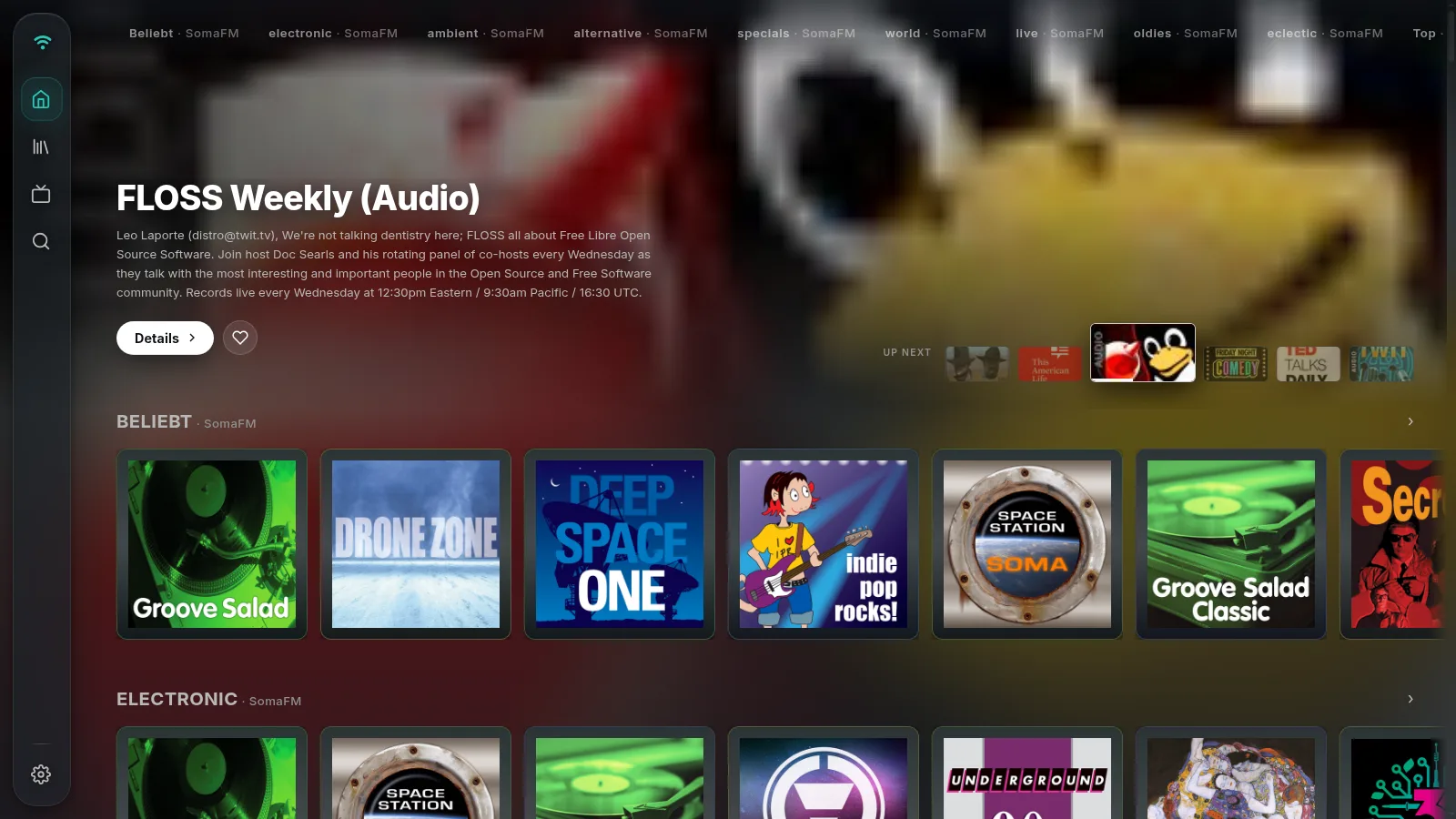
Waves
Radio stations, podcasts and free audiobooks as one app. Five audio
addons, a teal accent, and addonManager: "fixed": the
sources are set, the user only switches them on and off.
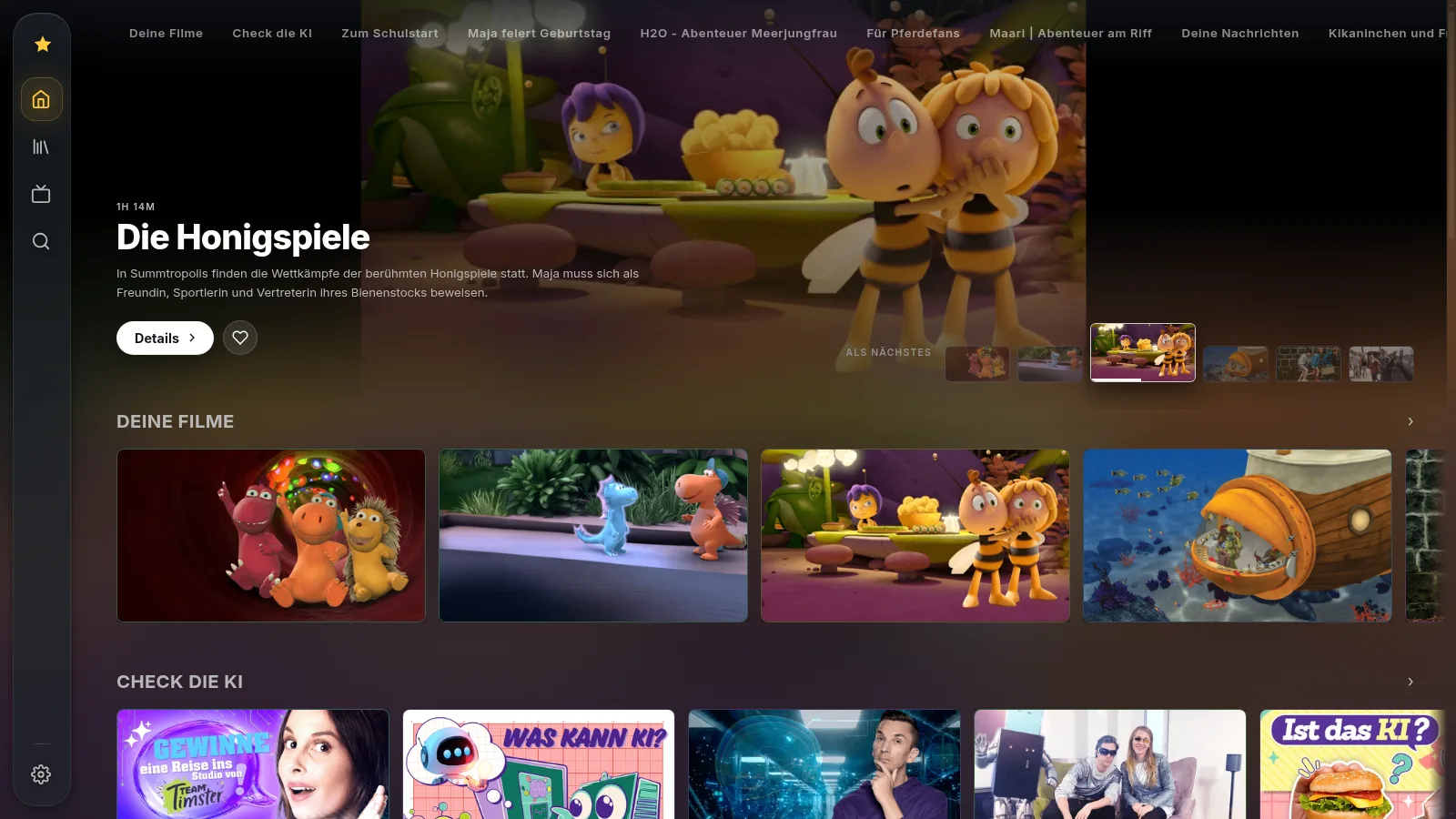
Junior
Kids TV. One addon, bright colours, German from the first screen
(locale: "de"), and addonManager: "hidden":
nothing to misconfigure from the couch.
Every mount option.
Everything is optional. With no options at all you get Dyscover as it runs on its own domain: no addons installed yet, the whole addon system open, the Dyscover mark.
addons
The sources the page ships with. A URL, or { url, enabled }
to ship one switched off.
addons: [
  "https://www.mhub.mx/dw",
  "https://www.mhub.mx/kika",
]
// ship one switched off:
{ url, enabled: false }
brand
name, logo (sidebar), icon
(favicon) and four colour slots: accent,
primary, bg, text. The rest of
the palette is derived, so two colours restyle the whole app.
brand: {
  name: "Waves",
  logo: "/logo.svg",
  colors: { accent: "#2EC4B6" },
}
locale
A string is the start language. An array is the languages on offer; a single entry hides the language row. Unset means the browser language.
locale: "de"
// or the offer:
locale: ["de", "en"]
addonManager
How much of the addon system the user gets to see. Three modes:
"open"    the user adds, removes and switches sources; your list seeds once,
          the user's decisions win from then on
"fixed"   your list and nothing else; the user only switches sources on and off
"hidden"  no addon screen at all; enabled is the state, on every boot
el
Where to render: a selector or an element. The default is
#app, so most pages never set it.
el: "#app"
settings + startRoute
settings: false removes the settings screen and its menu
entry. startRoute picks the first screen.
settings: false,
startRoute: "channels"
links
Tiles for the mHub browser home screen. Unset, the host gets one tile with your brand's name on it.
links: [
  { id, name, icon, url }]
mount() returns
{ el, navigate, unmount }: the element it rendered into,
a way to switch screens from your own code, and a clean teardown.
From here, or from your own host.
The build is served from dyscover.mhub.mx with open CORS,
so the snippet above works from any origin as it stands.
latest, or a pinned version
/latest/ is a short redirect onto the current version
folder, so a page that loads it is up to date minutes after a release.
To freeze your app instead, put a version in the path: those folders
never change and cache for a year.
latest.json names
the current version.
/latest/app.js    follows releases
/v/0.1.0/app.js   frozen forever
The version folder
Hosting the files yourself works too. A version is four files: download them, put them next to your page, change the three URLs in the snippet to relative ones. Any static host works; when it updates is then yours to decide.
/v/0.1.0/app.js      the app, one module
/v/0.1.0/style.css   the look
/v/0.1.0/hls.mjs     the stream engine
/v/0.1.0/index.html  mount() with no options
Where it runs
Any modern browser. The addons hosted on mhub.mx answer with CORS headers, so a plain browser can browse them; what a stream allows is up to the addon's source. Inside an mHub browser the same page gets the full Browser API: cross-origin fetching, streams that need their own headers, storage that follows the site.